
Windows 11 Storage Sense: Review These Settings Before Cleanup
Configure Windows 11 Storage Sense carefully so automatic cleanup fits the way you use your Downloads folder, Recycle Bin and […]
Configure Windows 11 Storage Sense carefully so automatic cleanup fits the way you use your Downloads folder, Recycle Bin and […]

Windows 11 Dynamic Lock can provide a useful backup when you leave your desk and forget to lock your computer.

Use Windows 11 clipboard history to reuse copied text, pin useful snippets, and remove old entries without installing a clipboard

Wi-Fi connected but no internet in Windows 11? This frustrating problem can prevent websites from loading even when your laptop
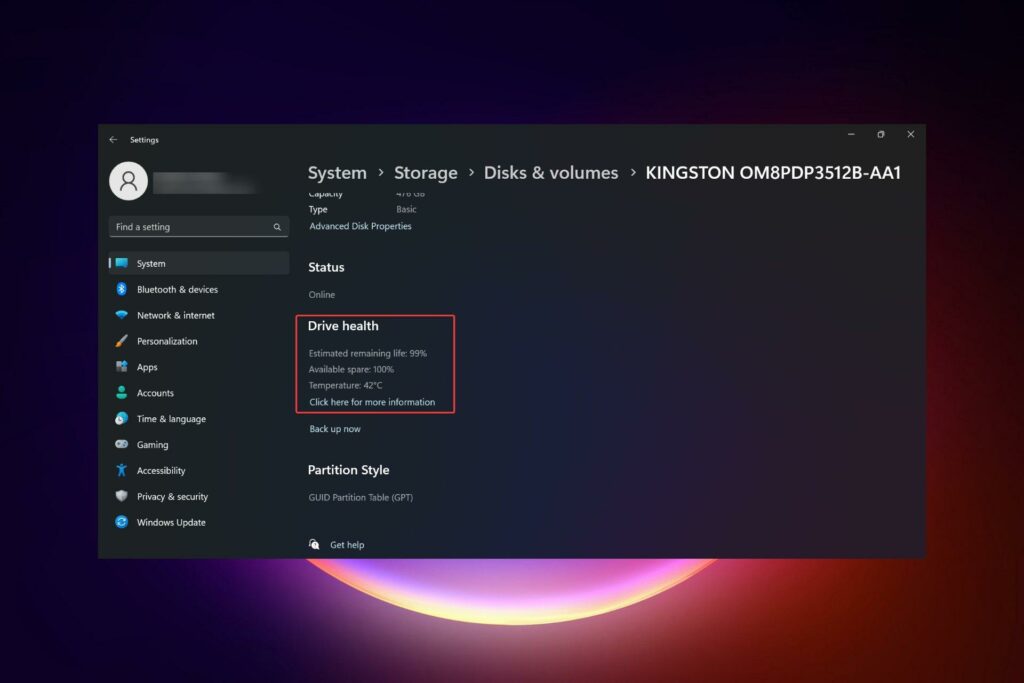
Learn how to check SSD health in Windows 11 using Settings and PowerShell, understand drive warnings, and protect your data—no extra apps needed.

Windows 10 had live tiles, giving you constantly updating information on things like news or weather. Windows 11 gives you

Windows 11 provides many new computer management tools, allowing users to customize their accounts to best fit their needs. For

Microsoft is constantly on the lookout for new Windows features to improve the user experience. However, privacy concerns surrounding some

Knowing how to switch keyboard layouts is essential if your computer has multiple keyboards or you type in several languages.

With CRT monitors being phased out, there’s no need for screen savers anymore. But if you still want an animation